Build Your Own Record Types, and Let Documents Fill Themselves In
The vault used to decide what counted as a record. Now you do. Define your own record types with the fields that matter, and let Kinship Vault read each document on your device and fill those fields for you.

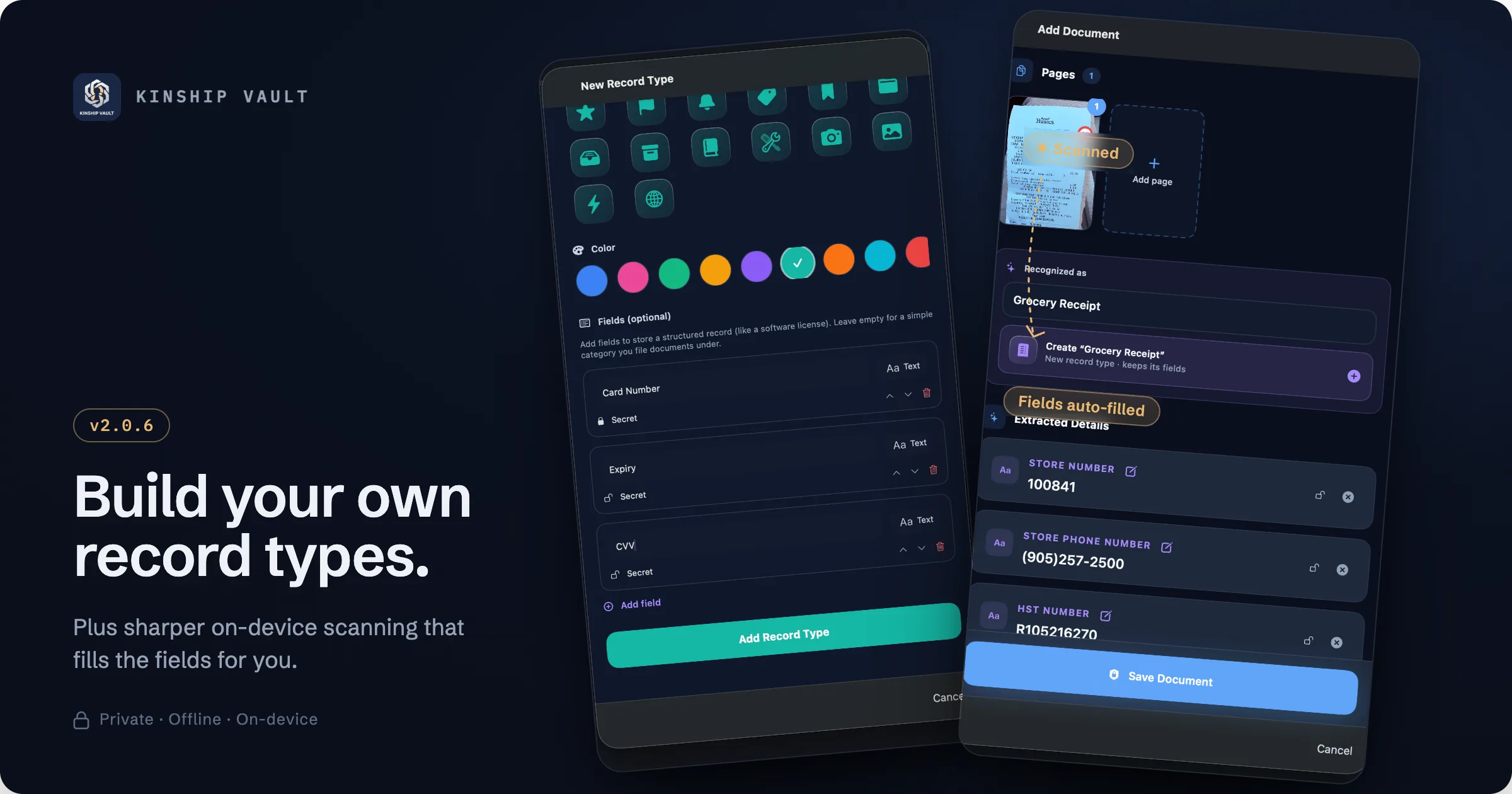
A vault is only as useful as the things it will let you keep. Passports, IDs, cards, and photos cover a lot, but everyone has a shelf of other structured things that never quite fit: a software licence, a warranty, a membership, a router's Wi-Fi details, an insurance policy number. Until now, those either got flattened into a note or left out entirely.
This update changes both ends of that. You can now define your own record types, with the exact fields you care about. And when you add a document, Kinship Vault reads it on your device and fills those fields in for you, so getting things into the vault stops being data entry.
Key takeaways
- Create custom record types with typed fields, including secret fields that stay masked.
- A built-in Software License type shows the idea; make your own for anything else.
- Scanned documents are recognized on device and their fields are filled in automatically.
- The app can build a new record type from a document you scan, keeping the fields it just found.
- All recognition happens on device. No page image or extracted text is ever uploaded.
Make the vault fit what you keep
A record type is a small template you define once and reuse. Give it a name, an icon, and a colour, then add the fields that matter to it: a licence key, an expiry date, a card number, a network password. Fields can be marked Secret, so sensitive values stay masked until you reveal them, exactly like a password in the vault.
There is a Software License type built in to show the shape of it, but the point is that you are not limited to our list. Make a type for warranties, memberships, vehicle details, crypto seed backups, anything you keep that has more than one field worth remembering. And if you leave the fields empty, a record type is simply a clean category you file documents under, so it works either way.
You should not have to bend what you own to fit someone else's idea of a record. The template is yours to shape.
Every record you store this way is encrypted in the vault like everything else, sealed with its own key, and available across your devices without ever sitting on a server.
Adding a document now does the typing for you
Here is the part that changes the day to day. When you scan or import a document, Kinship Vault reads it right on your device. It works out what the document is, pulls out the fields that matter, and lays them out for you to confirm.
Say you scan a receipt. The app recognizes it, labels it, and can offer to create a matching record type on the spot and keep the fields it just extracted, the store number, the phone number, a tax number, so the next receipt of that kind files itself the same way. You review the extracted details, fix anything you want, and save. No retyping.
A big step up in on-device recognition
Behind that convenience is a heavily upgraded recognition pipeline. Kinship Vault reads the fields across 100+ document types using the operating system's own text recognition and on-device intelligence, and this release sharpens both how much it reads correctly and how it interprets what it finds.
It is better at the details that trip up ordinary scanners: reading dates and numbers cleanly, telling a date of birth apart from an expiry date, and mapping the right value to the right field instead of guessing. When a document is unusual, it falls back gracefully rather than inventing an answer, and hands you what it is sure of.
| What happens | Where it happens |
|---|---|
| Read the text on a document | On device, by the operating system |
| Recognize the document type | On device |
| Extract and map the fields | On device |
| Store the record | Encrypted on device, never on a server |
Still private by design
None of this trades privacy for accuracy. The reading, the classification, and the field extraction all run locally. No document is uploaded to a cloud recognition service, and no page of your passport or receipt is sent anywhere to be processed. The same intelligence you would expect from a server sits inside the app, which is the whole point of an on-device vault.
Where it works
Custom record types and the upgraded on-device recognition are part of the Kinship Vault app on iPhone, iPad, and Mac. There is no separate setup and no extra account. On iPhone and iPad you scan with the camera; on Mac you drag in a PDF or image, and the same recognition runs.
Set it up
Open a category and create a record type that matches something you actually keep, or just add your next document and watch the fields fill themselves in. Full steps are in the record types documentation.
Keep more of your life in one private place.
Build record types that fit what you own, and let Kinship Vault read your documents on device and file them for you, while the vault never leaves your iPhone, iPad, or Mac.
Explore Kinship Vault