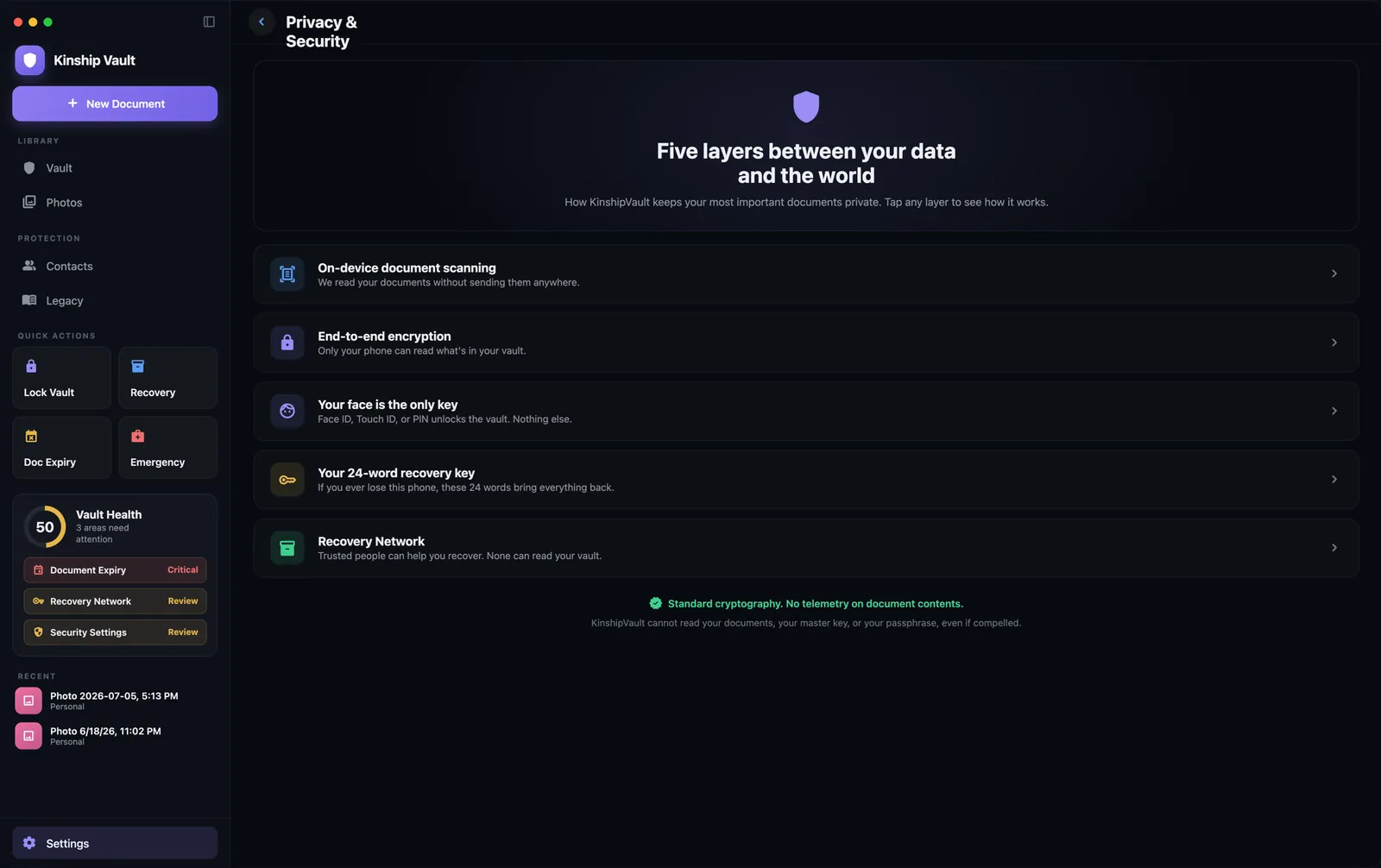
Built natively for macOS: a proper sidebar, the menu bar, keyboard shortcuts, drag-and-drop, light or dark. The same encrypted vault you carry on your iPhone, sitting where you actually do the paperwork.
One purchase covers iPhone, iPad, and Mac.
Requires macOS 14 or later.
Not a phone layout blown up to fill a window. Every Mac convention you'd expect is where you'd expect it.
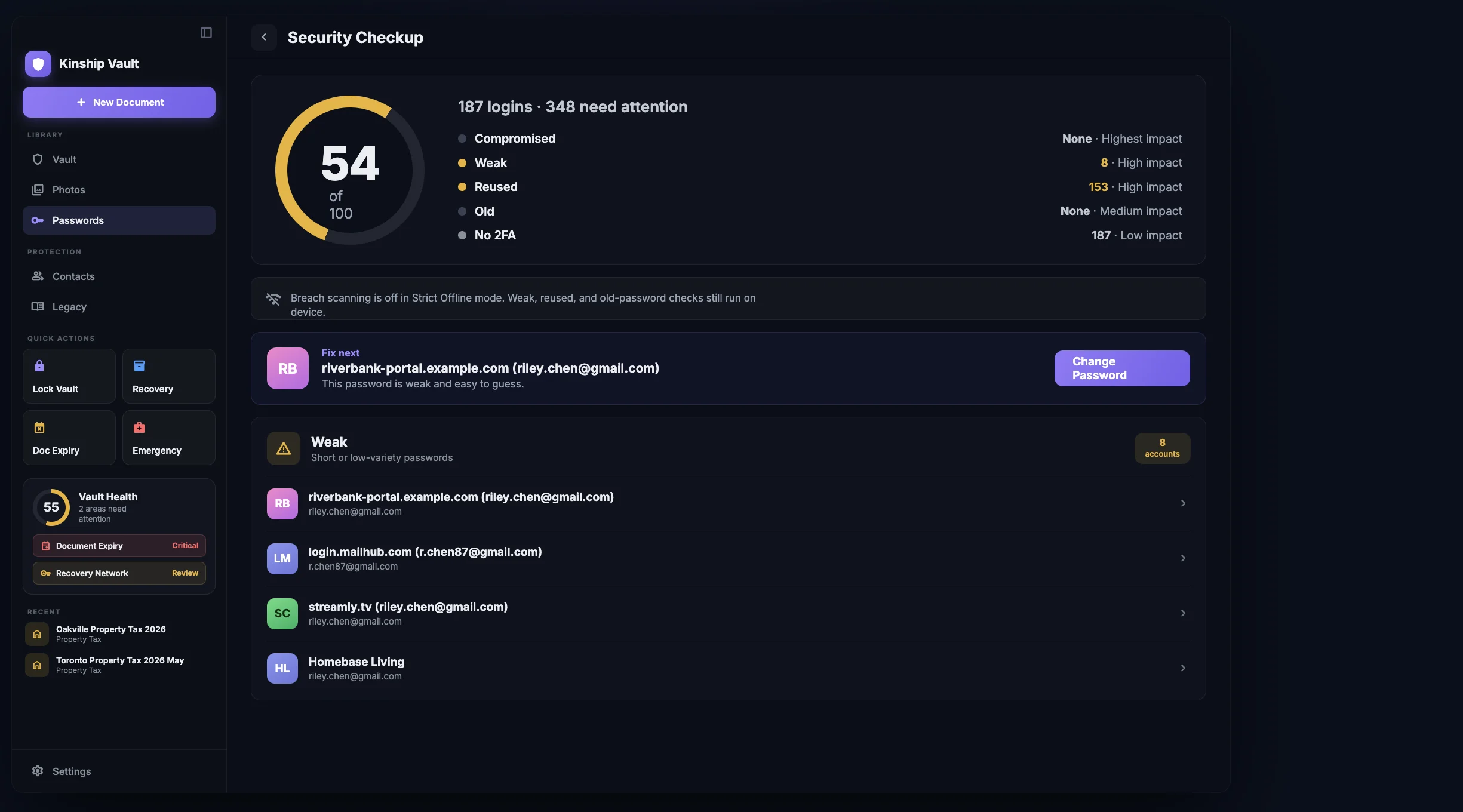
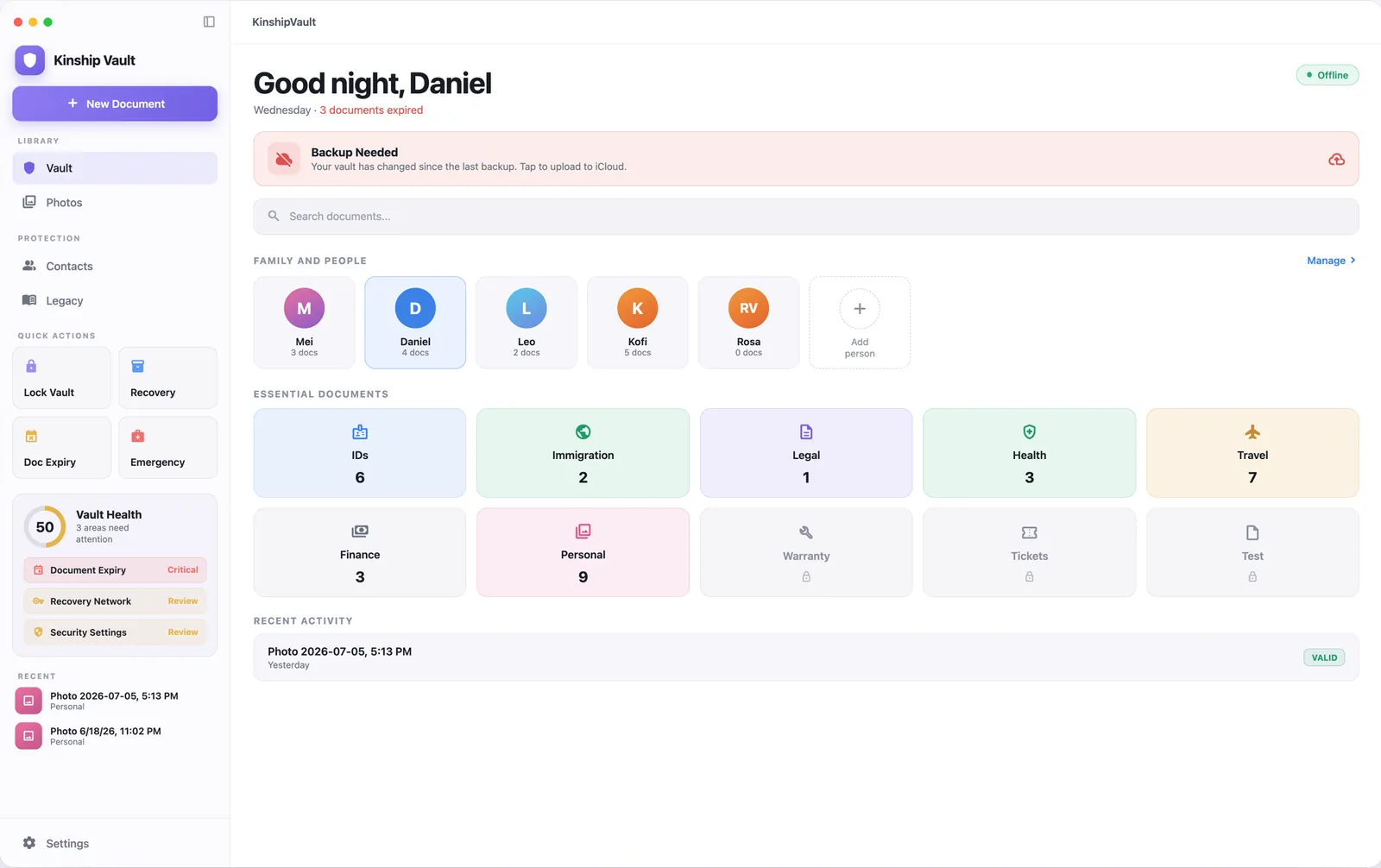
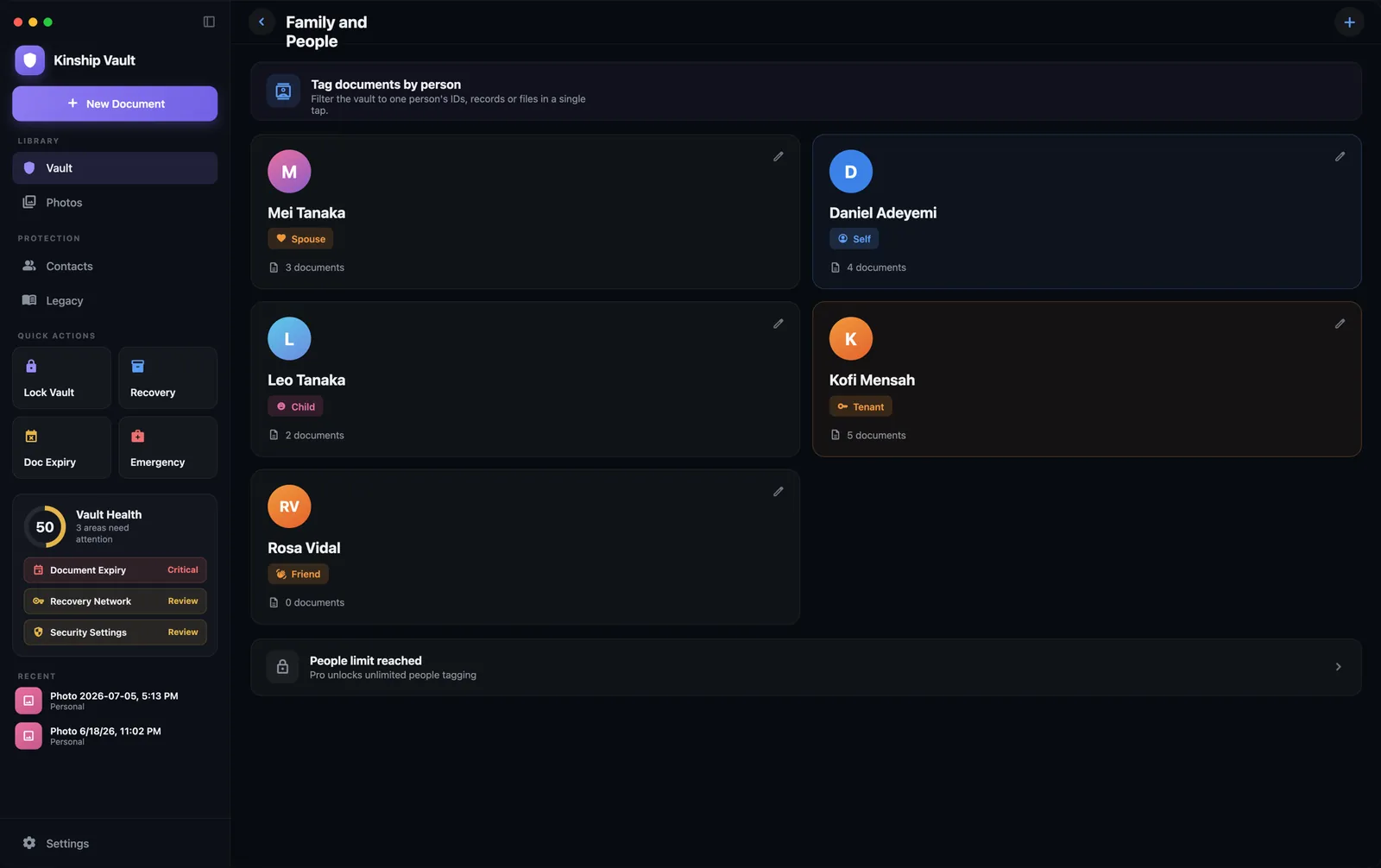
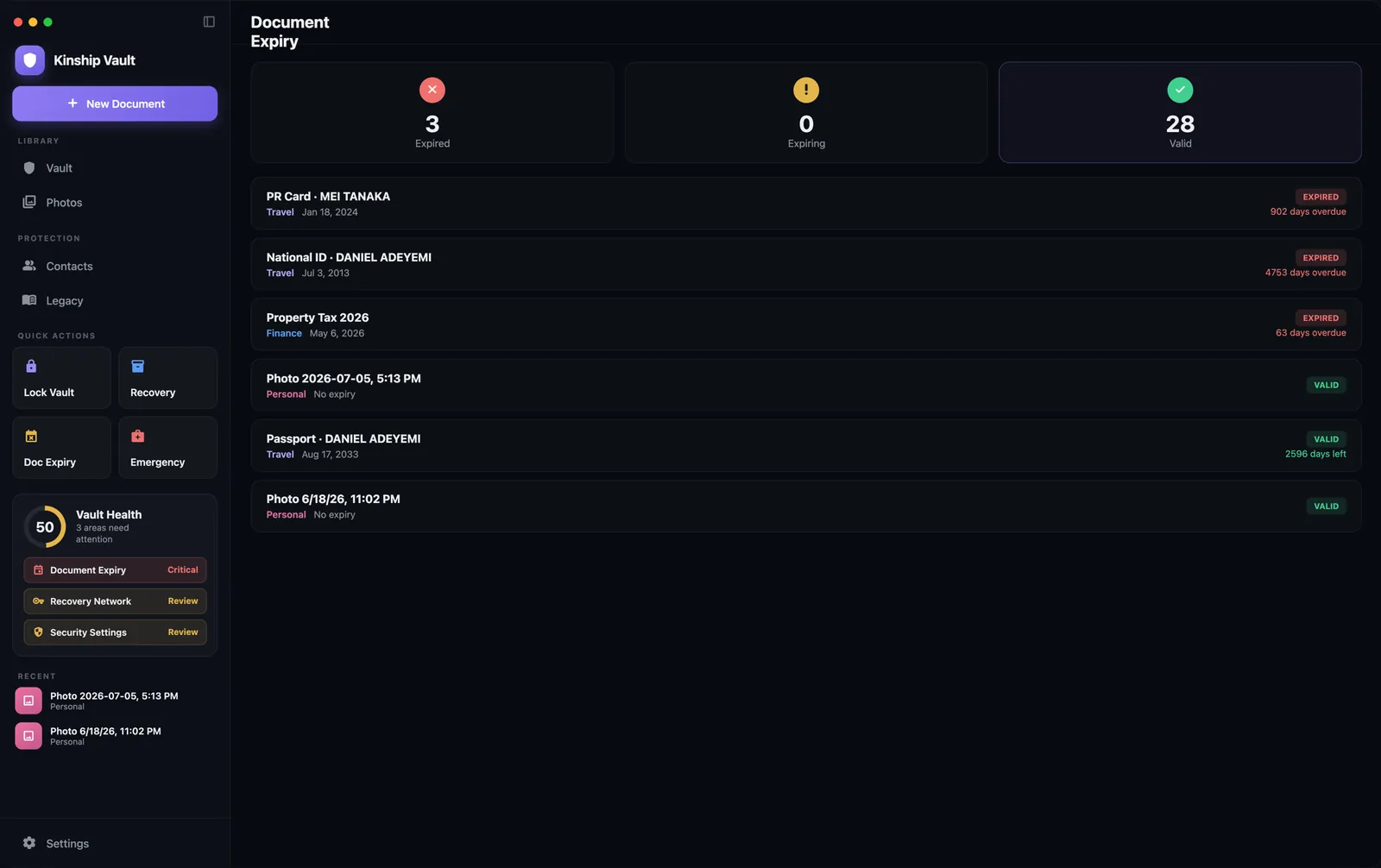
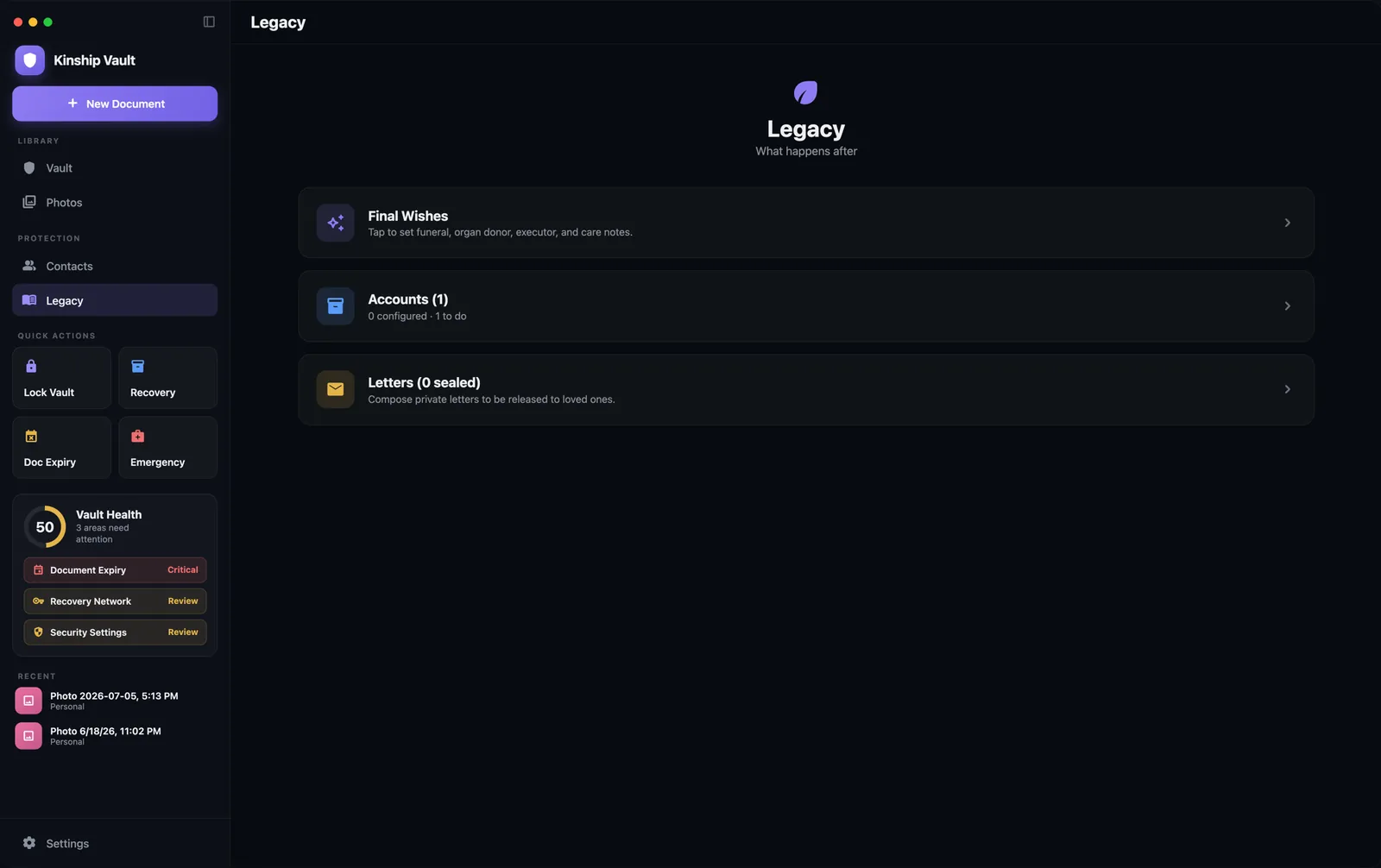
Split view with your library, protection, quick actions, and vault health always in reach. Recent documents open straight into the detail pane. The grid adds columns as you widen the window.
⌘N for a new document. ⌘L to lock the vault instantly. ⌃⌘S to show or hide the sidebar. Both vault commands grey out while the vault is locked.
Drop a PDF or a photo onto the window, or pull one from Photos or Files. The same on-device recognition reads the fields and encrypts it before it touches storage.
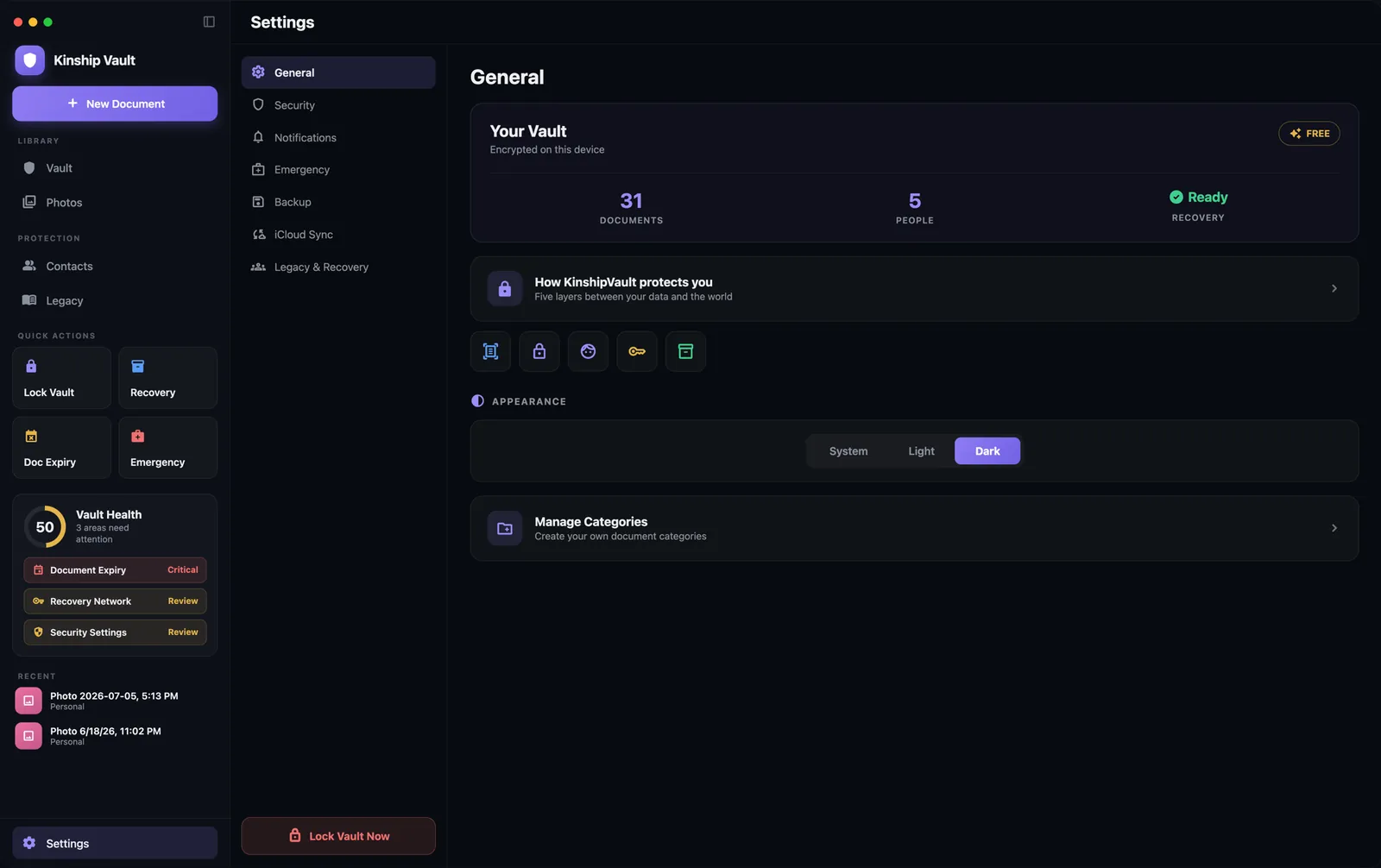
A category list with a focused pane, the way Mac settings are supposed to work. General, Security, Notifications, Emergency, Backup, iCloud Sync, and Legacy.
Follow the system or pin it, from the appearance picker in General. The look changes. Nothing about how the vault protects you does.
One vault, every device
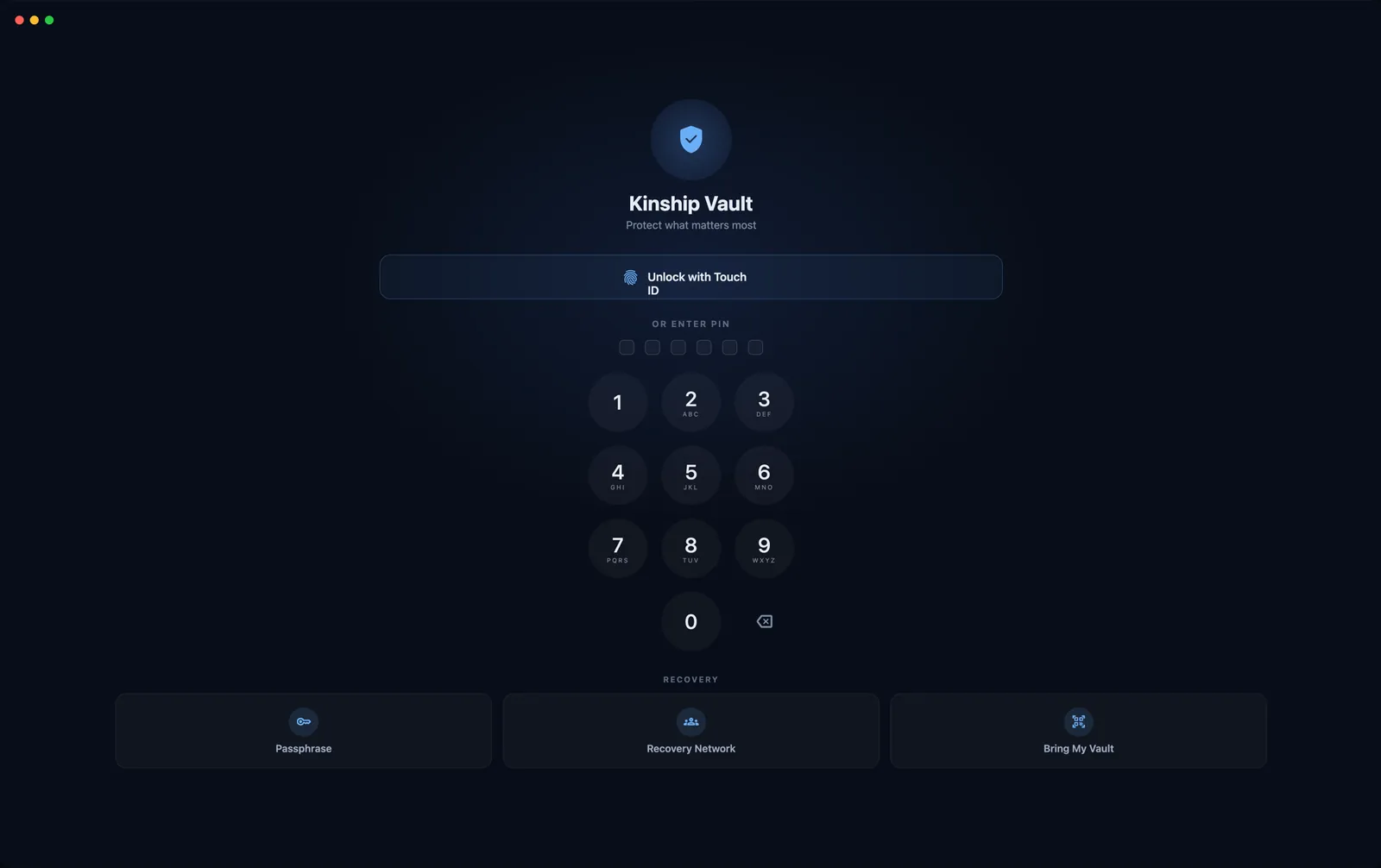
On the iPhone that already holds your vault, open Settings and choose Link a New Device. A QR appears for 60 seconds. On the Mac, choose Bring My Vault and hold the iPhone up to the Mac's built-in camera.
The key passes directly between the two machines through that code. Your documents come down from your own encrypted iCloud backup and are decrypted only on the Mac. Nothing about the handoff routes through us, because there is nothing of yours on our side to route.
It works in the other direction too: the Mac can show the code and hand your vault to a new iPhone. See the four-step walkthrough.
The same encryption
On an Apple silicon Mac, your 256-bit master key is wrapped by the Secure Enclave using ECIES, the same hardware seal as on the iPhone. Every document still gets its own key derived with HKDF, and every file is still encrypted on its own with AES-256-GCM. There is no account, no password to reset, and no key on our side for anyone to ask us for.
Unlock with Touch ID if your Mac has it, with your Mac login password if it doesn't, or with your PIN.
One honest detail, since Macs differ: plenty of them have no Touch ID at all, so the Mac also keeps a copy of your key wrapped by a PBKDF2 key derived from your PIN. That's what lets a PIN alone open the vault on a machine with no biometrics, and it means your PIN is doing real work here. Pick one you don't use anywhere else.
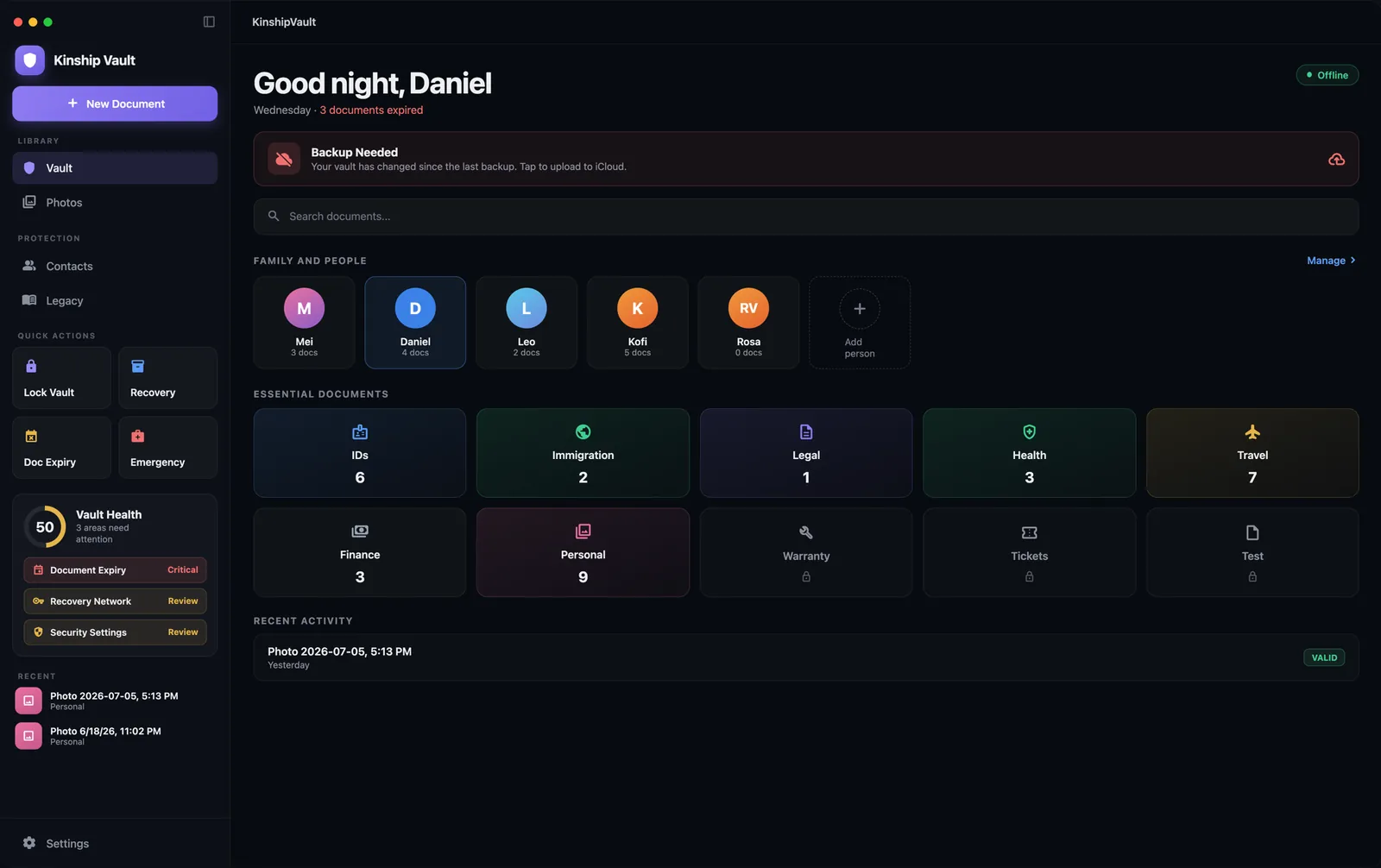
The Mac app is not a viewer or a companion. It's the whole vault.
Filter the whole vault down to one person's IDs, records, and files in a single click.
Each one holds a sealed recovery piece that opens nothing on its own.
Calm reminders before anything you carry expires, checked against your whole library.
Final wishes, accounts, and sealed letters for the people who matter.
We'd rather you heard these from us than found them out later. The encryption is identical; these are the places the platform itself differs.
There's no camera-scanning flow on the Mac. Instead of pointing a lens at a passport, you drag the file onto the window or pull it in from Photos or Files. The same on-device recognition reads the fields, across the same 100+ document types, and nothing is uploaded anywhere. The Mac does use its camera for one thing: reading the pairing QR from your iPhone.
On iOS, the pairing QR is hidden from screenshots and screen recordings by the system. macOS gives apps no equivalent, and cannot even tell an app that the screen is being captured. So when the Mac is the device displaying a pairing code, that code is not screenshot-protected, and the app says so on screen. It still expires after 60 seconds. Treat the code the way you'd treat the key it is: show it to your other device, and to nothing else.
The inactivity-triggered handoff depends on check-in reminders arriving reliably over a long stretch of time, which a desktop app that may sit closed for weeks cannot promise. Rather than ship something that looks like a safety net and isn't one, we left it off the Mac. Set it up on your iPhone; it protects the same vault.
Also worth knowing: pairing needs a camera, so a Mac without one (a Mac mini or Studio with no webcam attached) can't scan the QR. Use your recovery passphrase or your Recovery Network on that machine instead.
Vault Pro unlocks everything, and your purchase carries across iPhone, iPad, and Mac on the same Apple Account. Buy on any device; the Mac is already unlocked. Choose how you pay.
Start free with your first 3 documents. Upgrade whenever you're ready.
Pay once, yours forever. No subscription. Launch offer: $14.99. Redeem 62% off
Buy LifetimeOne purchase unlocks iPhone, iPad, and Mac. Payment is charged to your Apple Account at confirmation. Subscriptions auto-renew unless canceled at least 24 hours before the end of the current period; manage or cancel anytime in Settings. Lifetime is a one-time purchase.
One purchase, one vault, and no key on our side for anyone to ask us for. On the iPhone in your pocket and the Mac on your desk.