Now on Android

The whole vault. Now on Android.

Scan your passports, IDs, and records with the camera, seal them with encryption your phone's own hardware controls, and open the vault with a fingerprint or a PIN. Everything stays on your device.

Free to start with your first 3 documents. Plans from $1.99/mo.
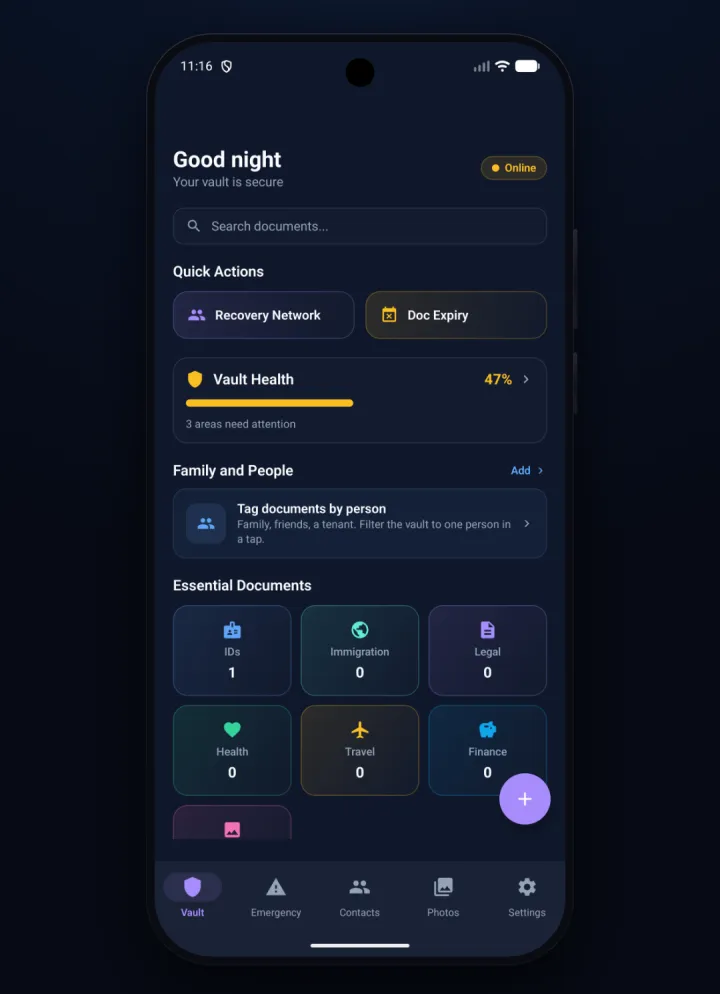
Kinship Vault on Android: the vault home with quick actions, vault health, family, and essential document categories
Built for your phone

Point, scan, sealed.

Everything the app is known for, in your pocket. No account, no upload, no key anyone but you can hold.

📸

Scan with the camera.

Point your phone at a passport, licence, or health card. On-device recognition reads the fields across 100+ document types and encrypts the result before it ever touches storage. Nothing is uploaded.

🔒

Fingerprint, face, or PIN.

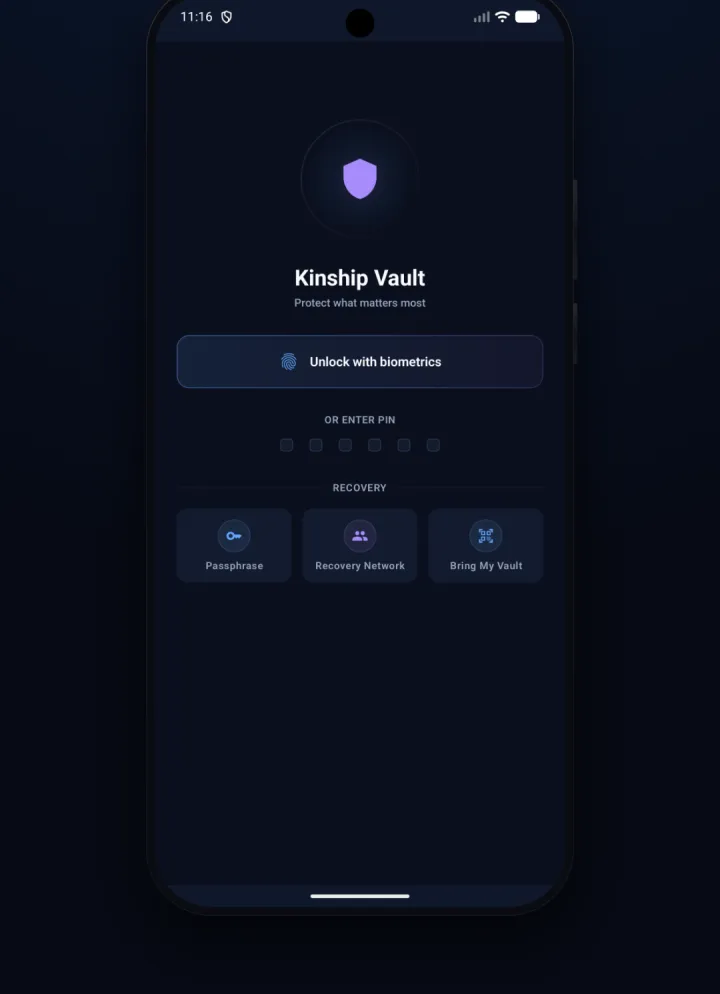
Unlock with your fingerprint or face, or fall back to a PIN. Nothing opens the vault without you, and there's no password to reset because there's no account behind it.

🚑

Emergency Mode and a widget.

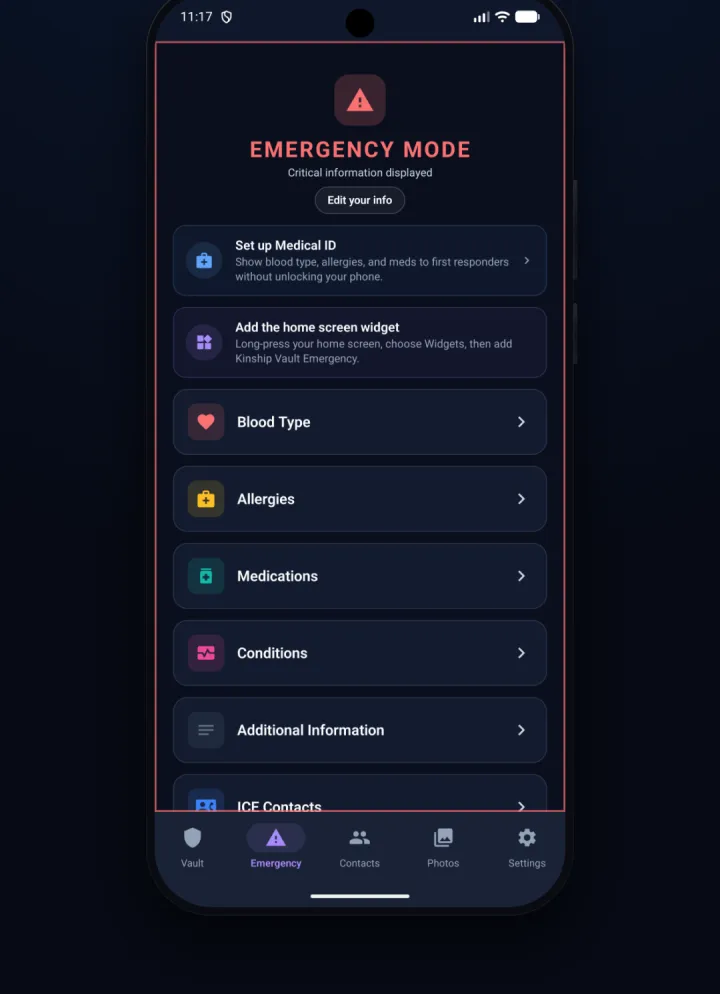
Blood type, allergies, medications, and ICE contacts, ready for first responders. Add the home-screen widget so the critical details are one tap away, even before the vault is unlocked.

🖼️

An encrypted photo vault.

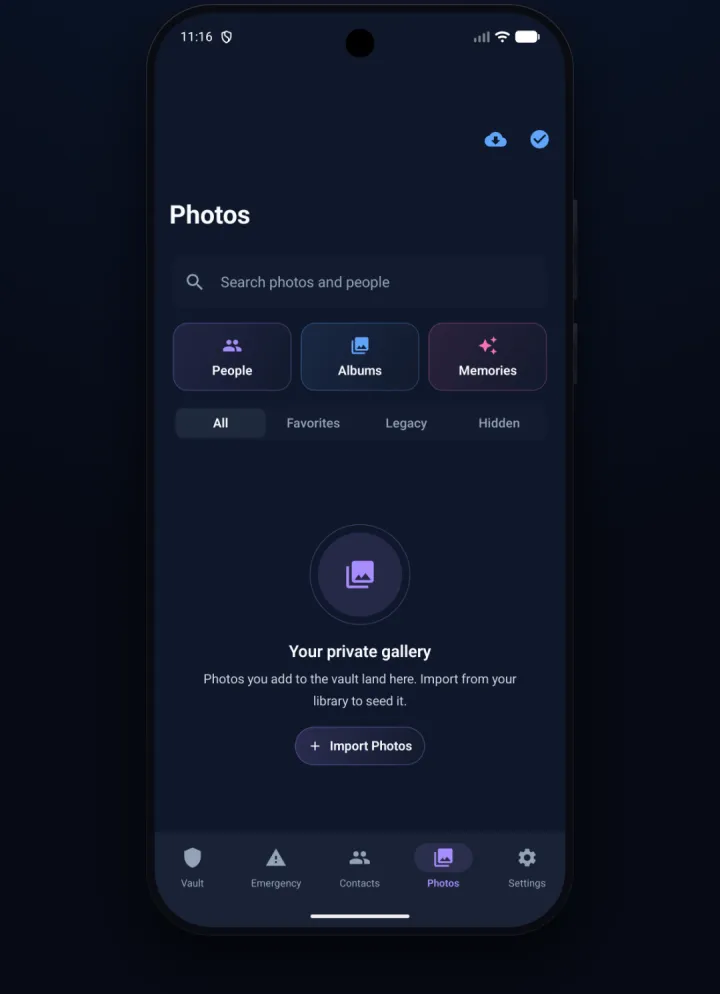
Private albums, memories, and personal scans, sealed with the same encryption and kept off the cloud. Import from your library and it lands only here.

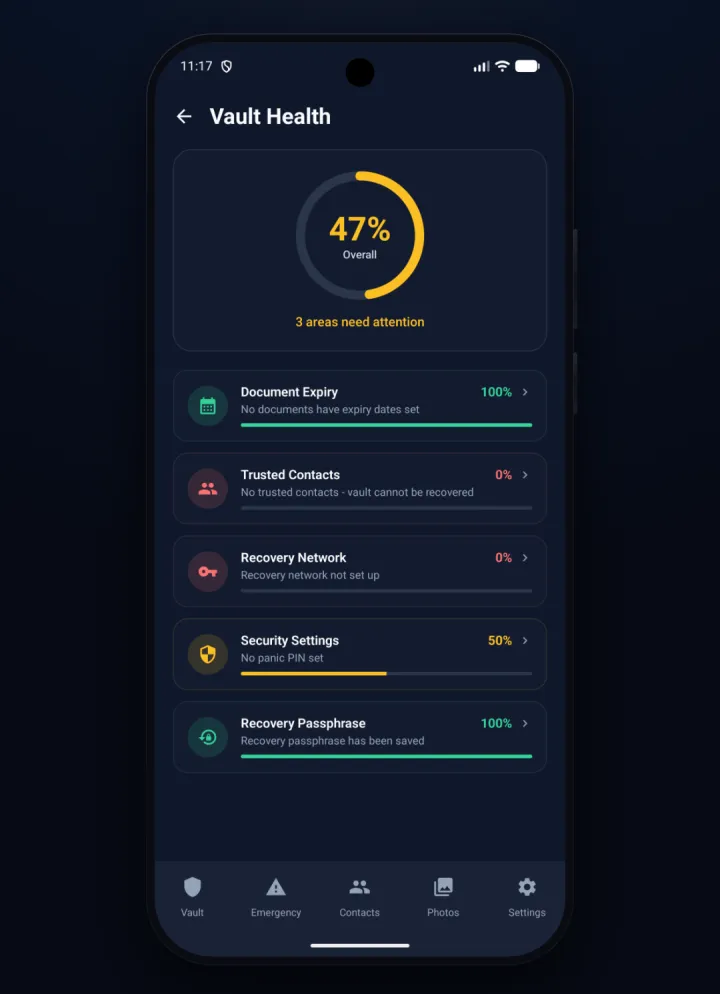
The Vault Health screen on Android, a live score with document expiry, trusted contacts, recovery network, security, and passphrase factors

Always know where you stand

A live score that flags exactly what needs you.

Vault Health scores your setup across document expiry, trusted contacts, your recovery network, security settings, and your recovery passphrase, then tells you in plain words what to fix next.

No jargon, no red-alert theatre. Just a calm read on how ready your vault actually is, updated as you go.

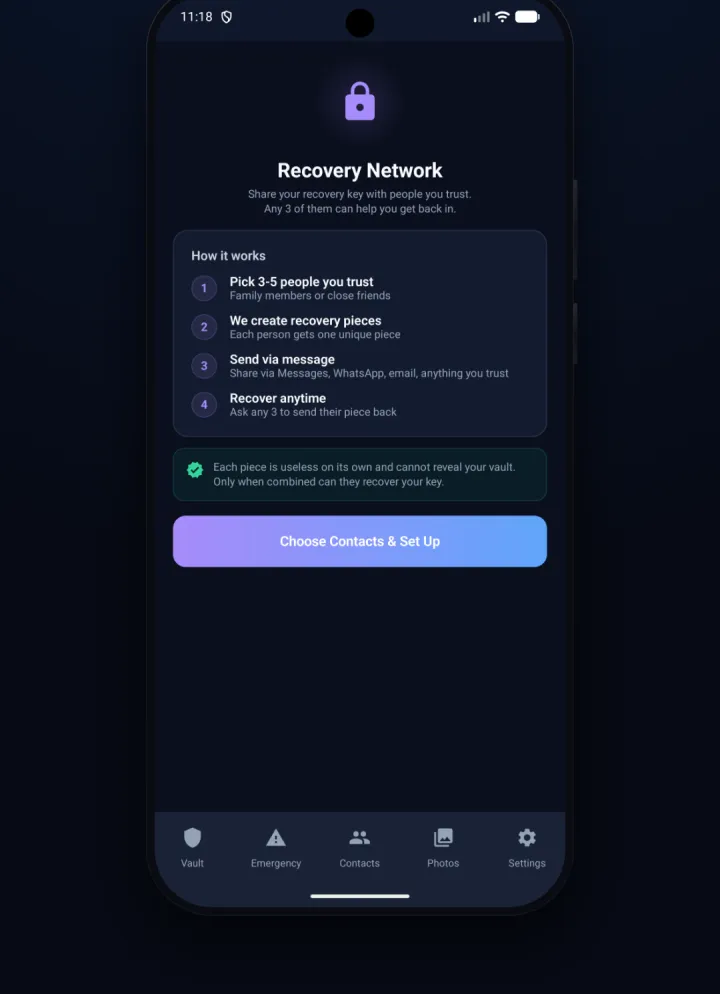
The Recovery Network screen on Android, explaining how a recovery key is split across trusted people so any three can help you back in

Never get locked out

Trusted people can help you back in.

Split a recovery key across three to five people you trust. Each one holds a single sealed piece that is useless on its own. Only when a few of them combine can your key be rebuilt.

Send the pieces however you already talk to them, over Messages, WhatsApp, or email. If you ever lose the phone, ask any three to send theirs back. No cloud download, no support ticket, no reset email to intercept.

Emergency Mode on Android, showing Medical ID setup with blood type, allergies, medications, conditions, and ICE contacts

Ready when seconds count

The details that matter, visible in an emergency.

Set up a Medical ID with your blood type, allergies, medications, and conditions, plus the people to call. Emergency Mode puts them front and centre for a first responder.

Add the home-screen widget and the essentials are reachable fast, without unlocking the whole vault.

The Photos screen on Android, a private encrypted gallery with People, Albums, and Memories

A private gallery

Photos and memories, for your eyes only.

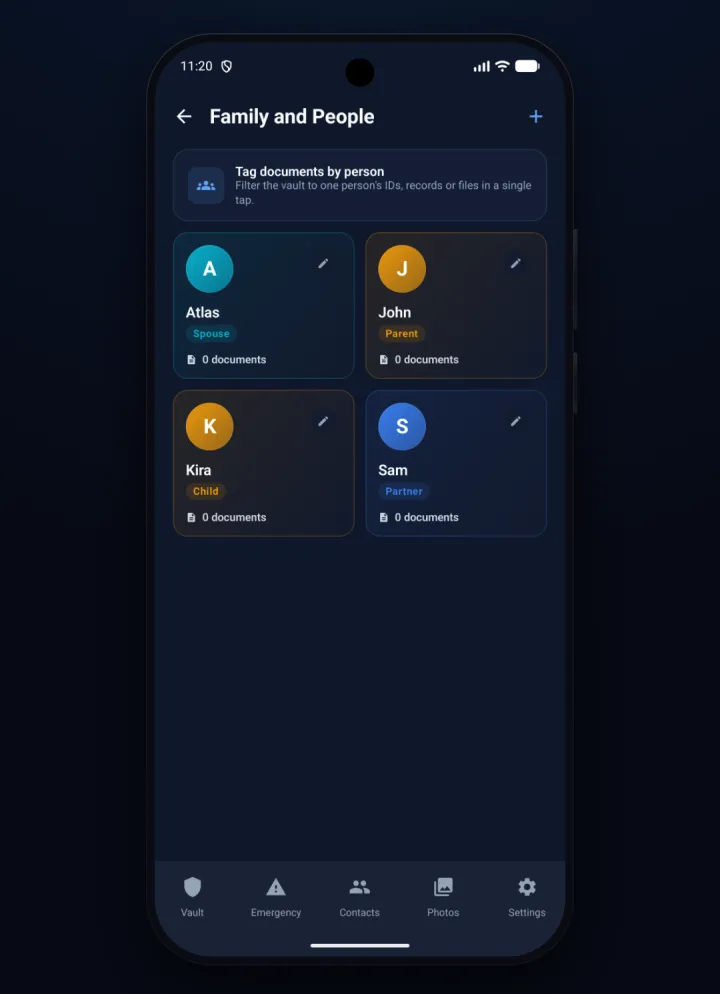
A gallery that lives inside the vault. Import from your library and the originals are encrypted here, kept off the cloud. Organise by people, albums, or memories, and mark a few as legacy for the ones who come after.

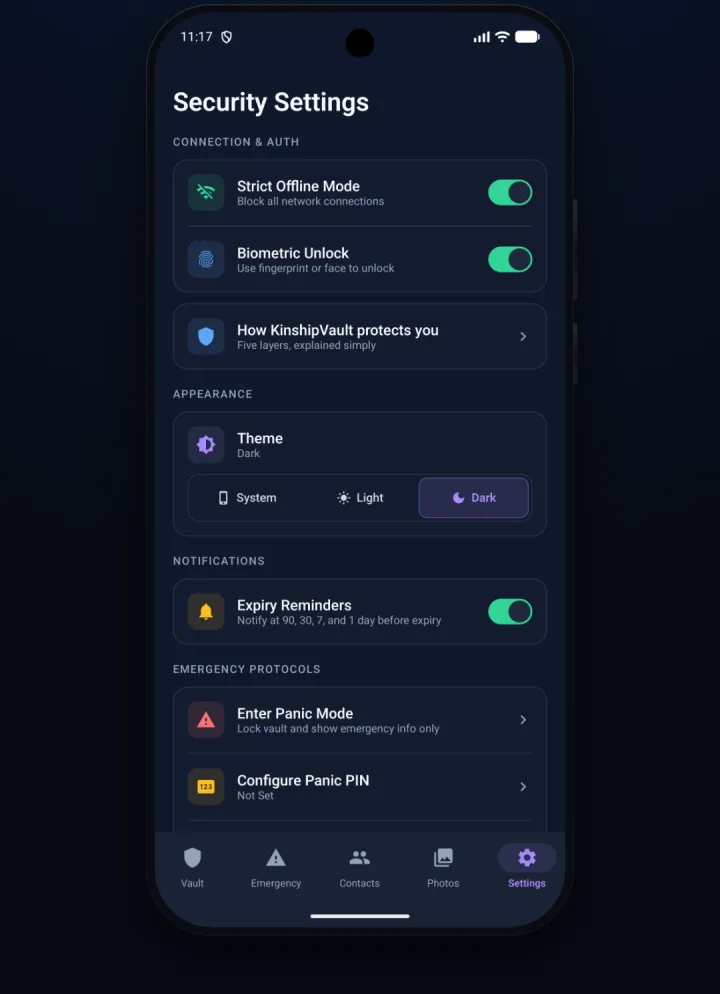
The Security Settings screen on Android, with Strict Offline Mode, biometric unlock, appearance, expiry reminders, and panic controls

The same encryption

Nothing about the security model got softer.

Your master key is wrapped by the Android Keystore, hardware-backed on devices that have a secure element, so it can't be lifted out in the clear. Every document gets its own key, every file is encrypted on its own with AES-256-GCM, and the whole database is sealed with SQLCipher.

There's no account, no password to reset, and no key on our side for anyone to ask us for. Turn on Strict Offline Mode to block every network connection outright. When you do choose to back up, it goes encrypted to your own Google Drive, and only you can open it.

All of it came along

Everything the app does, on Android.

Not a viewer or a companion. The whole vault, organised around the people it's for.

Straight answers

Two honest things about the Android app.

The encryption and the features are the same. These are the places the Android app stands on its own, and we'd rather you heard them from us.

It's a separate purchase from the Apple app.

The Android app is bought through Google Play, with its own billing. A subscription or Lifetime you bought on the App Store doesn't carry over to Android, and vice versa, because Apple and Google keep purchases inside their own stores. The prices are the same on both.

Your Android vault is its own vault.

There's no live pairing or sync between Android and an iPhone, iPad, or Mac today. Each is a self-contained vault. To move to or from an Android phone, use an encrypted export, your recovery passphrase, or your Recovery Network. And when you back up, backups go to your own Google Drive rather than iCloud.

Everything else, the on-device encryption, the document types, the recovery model, comes across exactly as it is on the other platforms.

Pricing

One membership. Everything unlocked.

Vault Pro unlocks everything on Android, bought through Google Play. Choose how you pay.

Start free with your first 3 documents. Upgrade whenever you're ready.

Monthly
$1.99/mo

Full Vault Pro, billed monthly. Cancel anytime.

Get Monthly
Best value
Lifetime
$39.99once

Pay once, yours forever. No subscription.

Buy Lifetime
Every plan includes
Unlimited documents: not just 3
Smart Scan & OCR: auto-fill 100+ document types
All 6 categories: IDs, Health, Legal, Finance, Travel, Personal
Encrypted backup: your Google Drive + manual export
Recovery Network: split your key across trusted people
Encrypted photo vault: albums and personal scans, sealed the same way
Custom categories: create your own, not just the 6 defaults
Expiry alerts & people tagging: never miss a renewal

Payment is charged to your Google Play account at confirmation. Subscriptions auto-renew unless canceled at least 24 hours before the end of the current period; manage or cancel anytime in Google Play → Subscriptions. Lifetime is a one-time purchase. This purchase is separate from any App Store purchase.

Yours alone. Now on Android.

On-device encryption, no account, and no key on our side for anyone to ask us for. Get it on the phone in your pocket.